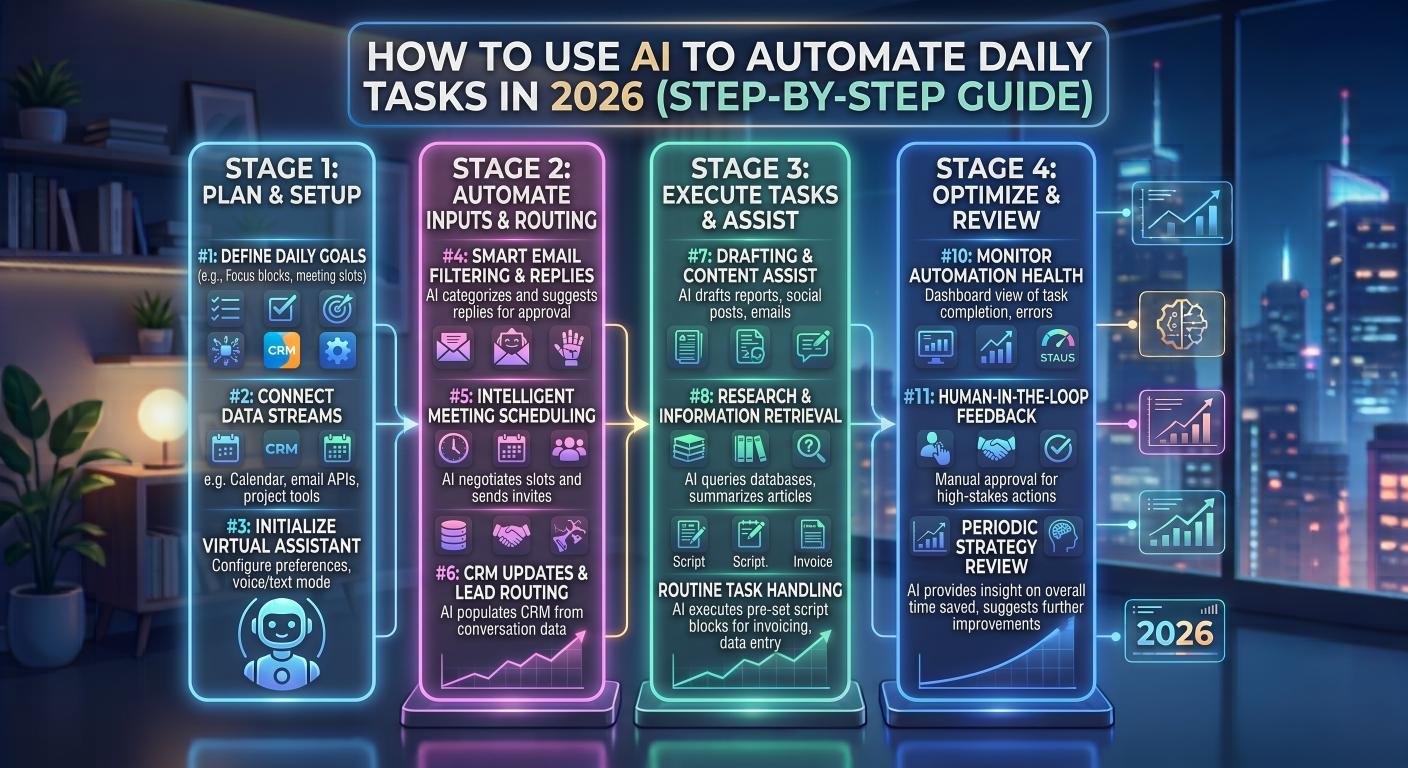
Introduction
AI is no longer just a novelty — it’s become a practical tool for automating repetitive daily tasks that used to eat up hours of your time. From answering emails to organizing your schedule and creating content, AI can now handle much of the busywork so you can focus on higher-value work.
This guide walks through exactly how to start automating your daily tasks with AI, step by step.
Step 1: Identify Repetitive Tasks Worth Automating
Before automating anything, make a list of tasks you do every day or every week that follow a predictable pattern. Common examples include:
- Replying to routine emails
- Scheduling meetings
- Writing social media posts
- Organizing files and data
- Summarizing documents or meeting notes
If a task follows the same steps every time, it’s a strong candidate for AI automation.
Step 2: Automate Email Management
AI tools like Gmail’s Smart Reply and Superhuman AI can draft email responses automatically based on the context of incoming messages. You simply review and send, rather than writing from scratch.
For more advanced automation, tools like Zapier combined with ChatGPT or Claude can automatically sort, label, and respond to emails based on custom rules.
Step 3: Automate Scheduling and Calendar Management
AI scheduling assistants like Motion or Reclaim.ai analyze your calendar and automatically block time for tasks, meetings, and breaks based on your priorities. This eliminates the constant back-and-forth of manual scheduling.
Google Calendar’s built-in AI suggestions can also recommend optimal meeting times based on everyone’s availability.
Step 4: Automate Content Creation
Instead of manually writing every blog post, social media caption, or email newsletter, use an AI writing assistant like Claude or ChatGPT to generate first drafts. You can then edit and personalize the output rather than starting from a blank page.
For visual content, Canva’s Magic Studio can automatically generate social media graphics based on a simple text prompt.
Step 5: Automate Data Entry and Organization
Tools like Notion AI can automatically summarize documents, extract key action items from meeting notes, and organize information into structured databases — cutting down on manual admin work significantly.
For spreadsheets, AI-powered add-ons in Google Sheets and Excel can automatically clean data, detect errors, and generate reports.
Step 6: Connect Your Tools with Automation Platforms
Platforms like Zapier and Make (formerly Integromat) let you connect multiple apps together so tasks trigger automatically. For example, a new form submission could automatically generate a personalized AI-written email, add the contact to your CRM, and schedule a follow-up — all without manual input.
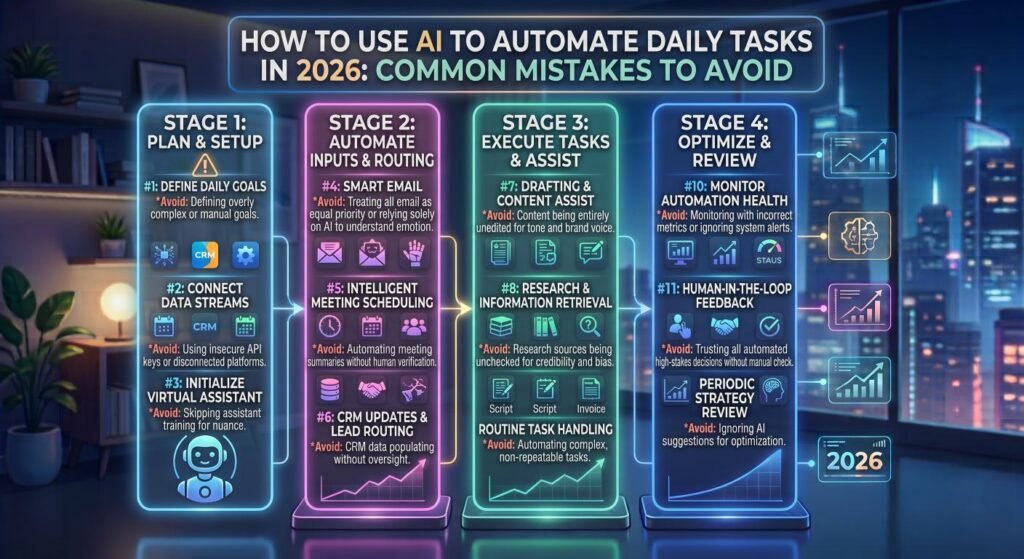
Common Mistakes to Avoid
- Automating everything at once: Start small with one or two tasks before scaling up.
- Skipping human review: AI-generated output should still be checked, especially for anything client-facing.
- Ignoring data privacy: Be mindful of what sensitive information you input into AI tools, especially for business use.
Final Thoughts
AI task automation isn’t about replacing your judgment — it’s about removing repetitive work so you can spend more time on tasks that actually require human decision-making and creativity. Start with the tasks that consume the most time in your day, automate those first, and gradually expand from there.
Frequently Asked Questions
Is AI automation expensive to set up? Many AI automation tools offer free tiers or low-cost plans, making it accessible even for individuals and small businesses.
Do I need coding skills to automate tasks with AI? No, most modern AI automation tools use no-code interfaces designed for non-technical users.
What tasks should I avoid automating with AI? Tasks requiring sensitive judgment calls, legal decisions, or highly personalized communication should still involve human oversight, even when AI assists in the process.